A CREATIVE APP POWERED BY XBAR
World Director
World Director, powered by Xbar
Alpha · in development
World Director hardware →Create it. Keep it. Make it your own.
Describe an object to Xbar, keep the generated 3D model in your local library, then place it in your world.
Type your request, or use local Whisper dictation to turn speech into text on your computer. About local dictation.
This application remains in private development and testing. Software downloads are paused for everyone. Interested in the work or a collaboration?
Express your interestCOMING SOON · PLANNED LAUNCH PRICING
World Director
$24USD · one-time
Before any applicable taxes.
Software downloads are paused for everyone. Purchases are not open.
These are my launch prices. As I add features, prices will rise for new customers.
Your one-time purchase includes future updates and major-version upgrades released for the app you buy, at no extra charge. Upgrade eligibility has no time limit.
When sales open: 7-day refund policy: request a full refund within 7 days of purchase.
Build a scene, one idea at a time.
- “Put ten trees there.”Place a group from your library, spaced across clear nearby spots.
- Click to place another.Add another library copy. World Director looks for open space around existing objects.
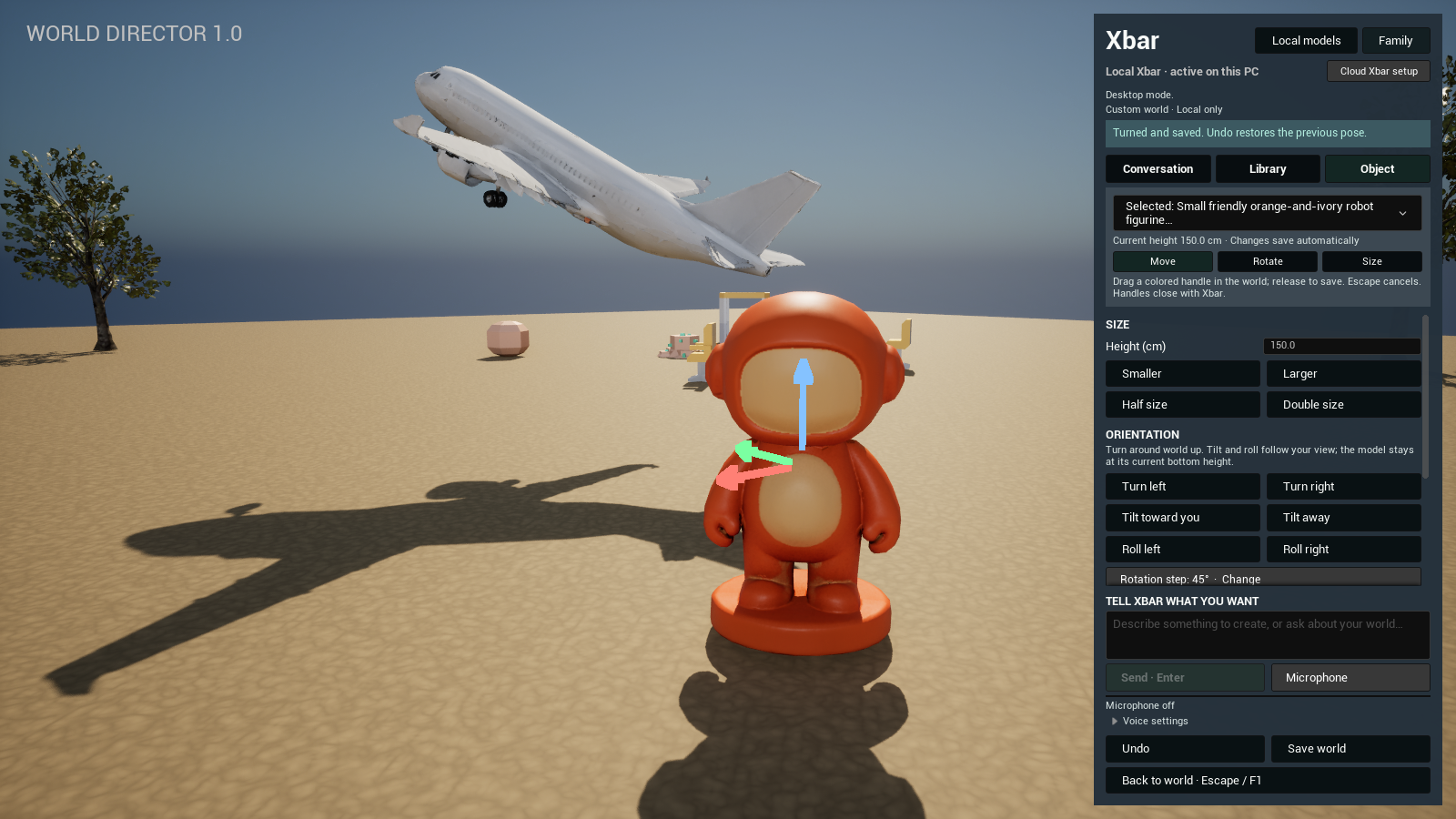
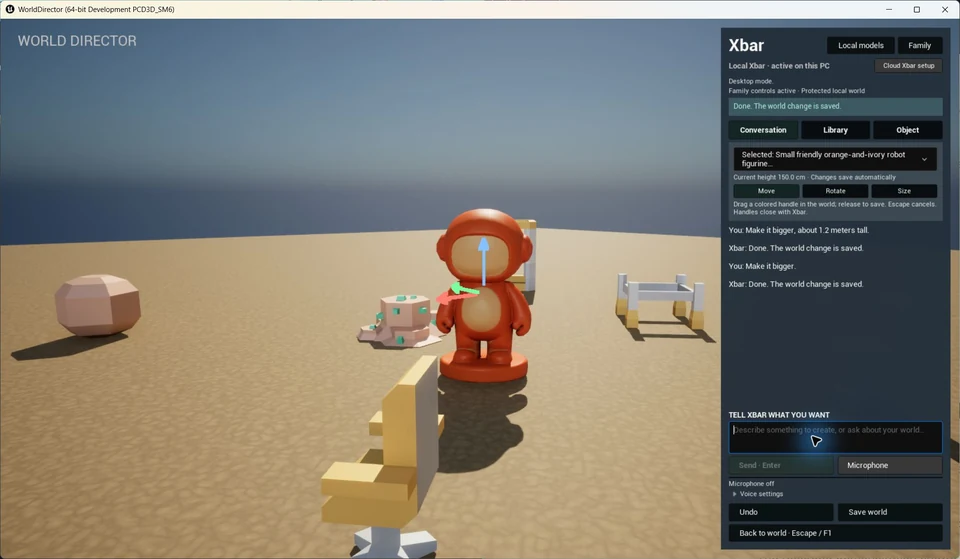
- “Make it bigger.”Ask Xbar, or use the object controls to move, turn and resize. Undo lets you try again.
THE IDEA, AT A GLANCE
Make it once. Build with it again.
- 01
Describe your idea
Ask Xbar for an object to create.
- 02
Keep it in your library
Generated models become reusable local assets.
- 03
Make the world your own
Place your models, turn them and choose their size.
Have a model from elsewhere? Reviewed imports can join a parent-unlocked custom world, too.
FROM DISCORD TO YOUR WORLD
An idea you can bring with you.
Create a model together with Xbar in Discord, then import it into a parent-unlocked custom world in World Director. Keep it in your local library, place it and make it part of your scene.
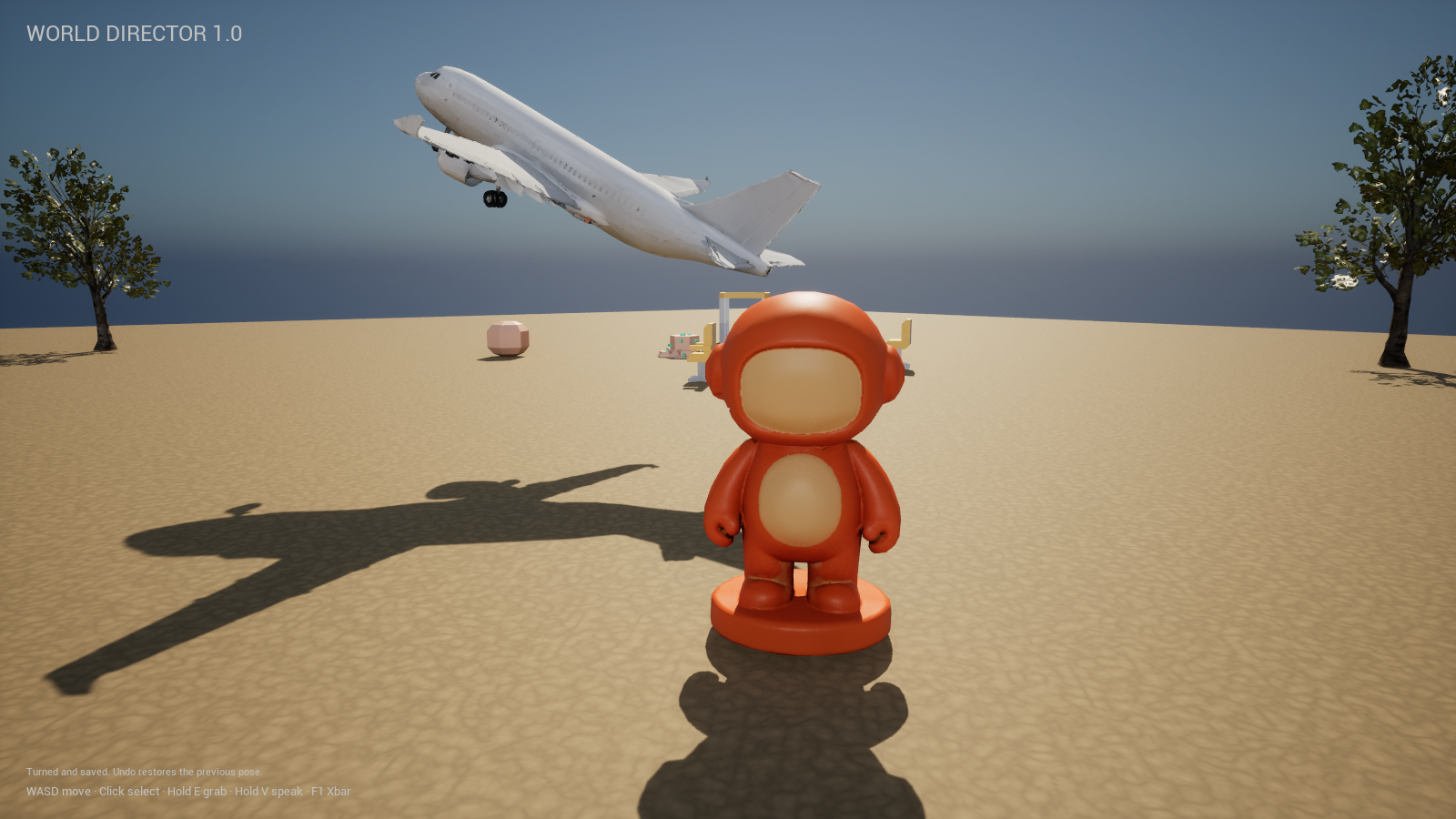
Explore the local model library
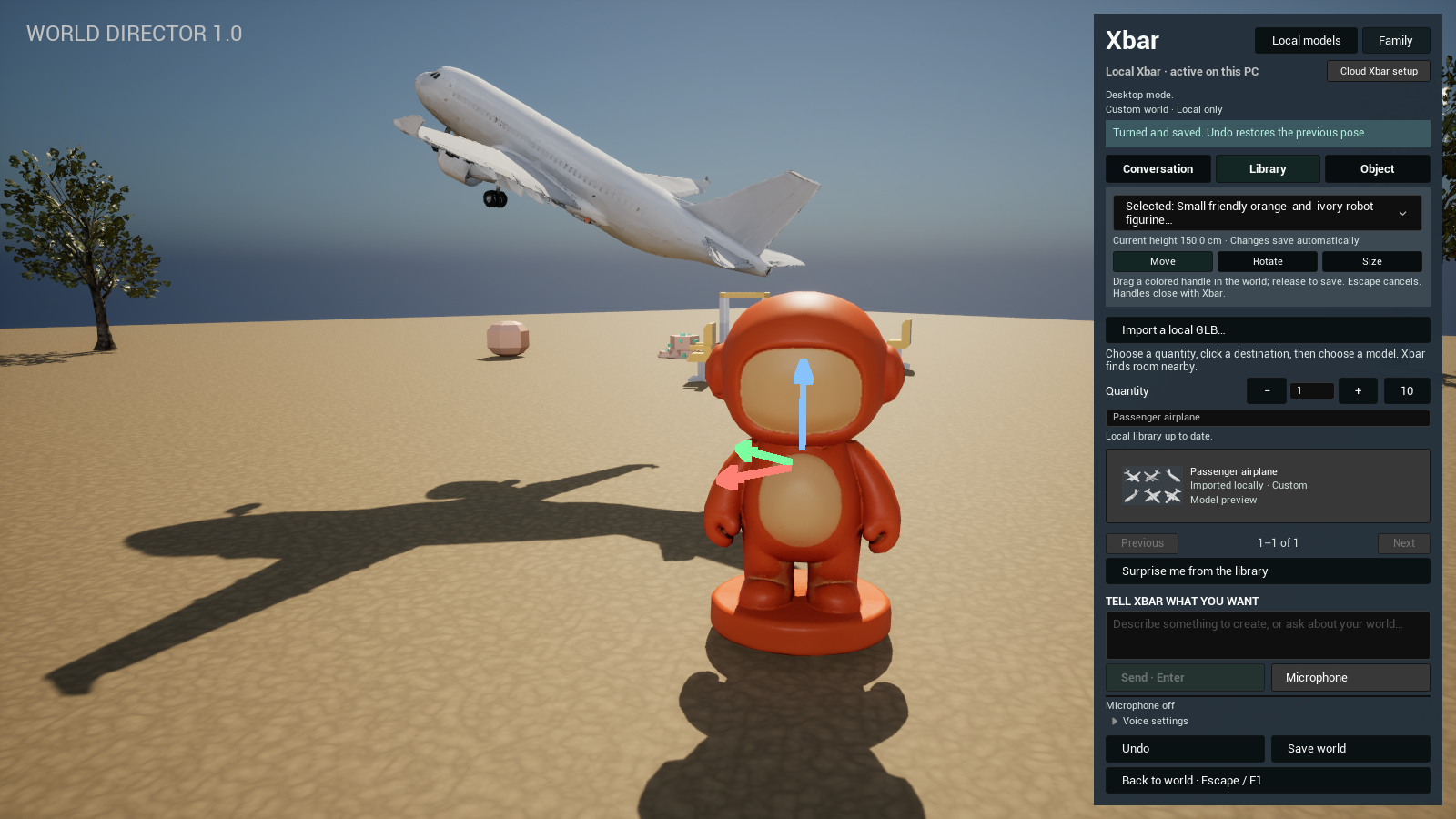
Move, turn and resize your models
See “Make it bigger” in the conversation
FAMILY SETTINGS
Creative freedom. Parent-led choices.
Choose an age preset, creative categories and presentation limits. PIN-protected permissions put parents in control of new creations, model changes and custom worlds.
Explore Family settings in the app
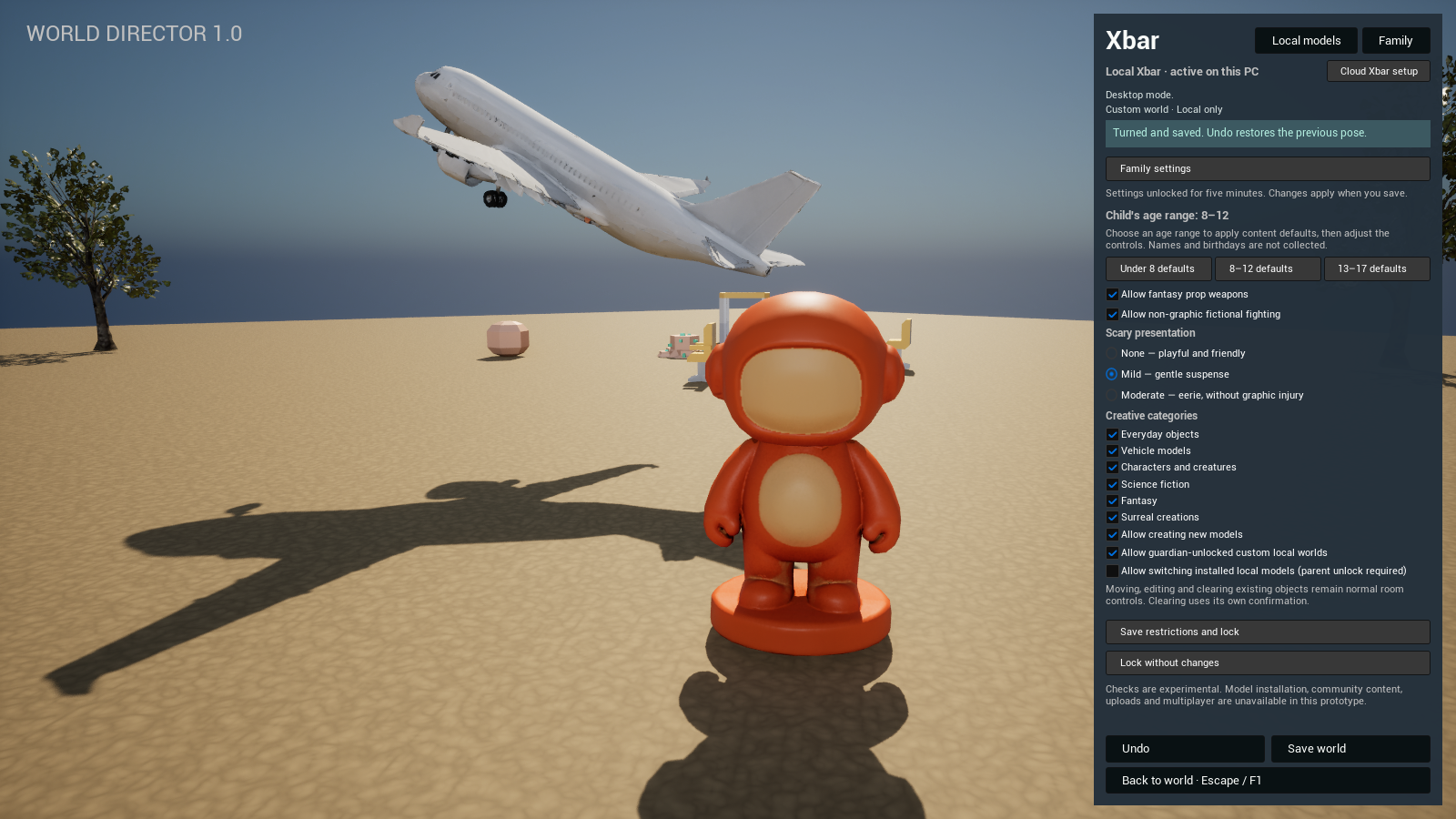
Compare the Under 8 and 13–17 presets
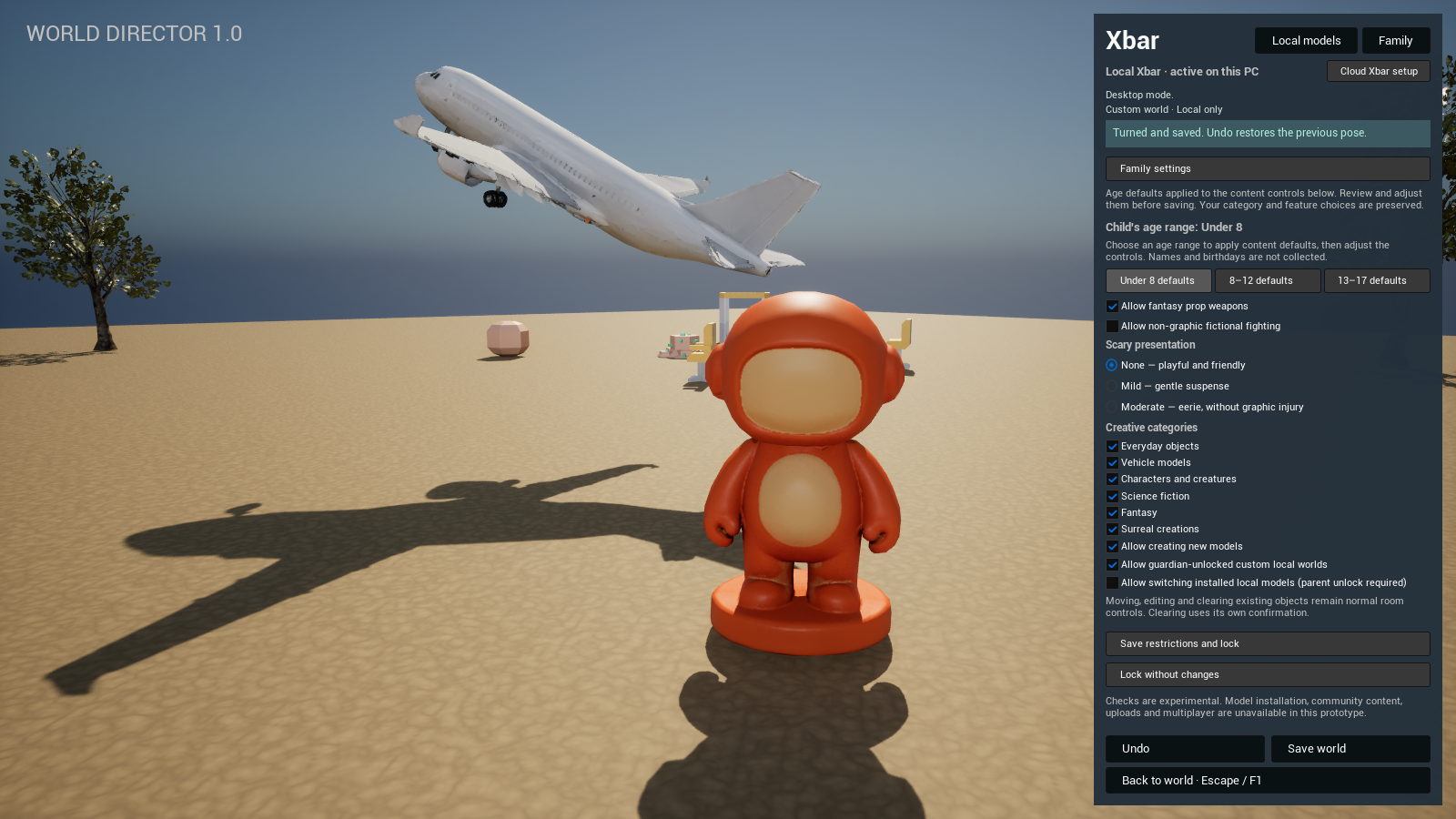
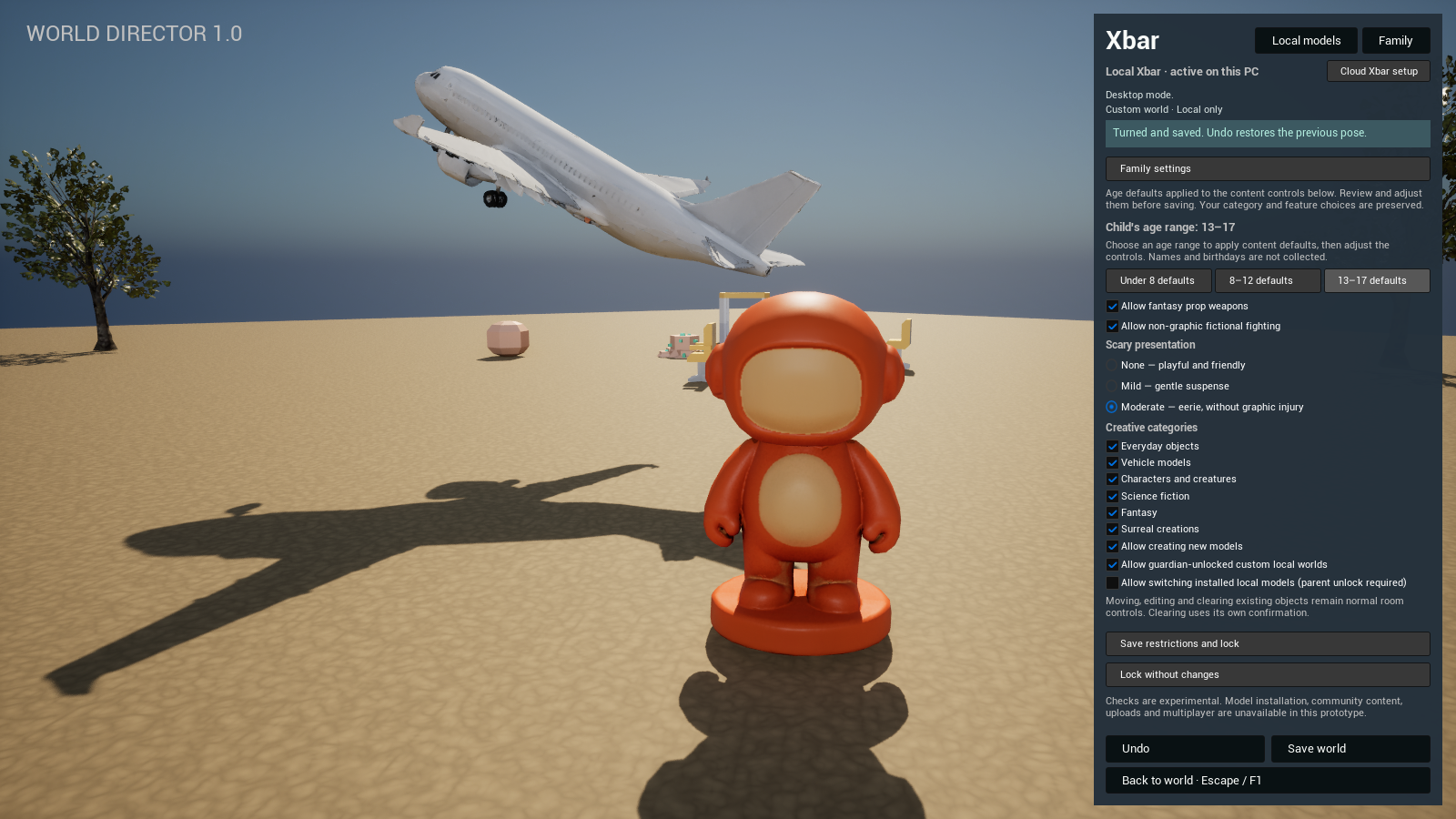
These previews change the content defaults. Existing category and feature choices remain yours to review before saving.
These local checks are experimental and can make mistakes. Age presets are starting points, not age verification or a substitute for parental supervision.