THE FLAGSHIP / YOUR LOCAL AI COMPANION
Xbar™
Offline first.
Your ideas, made here.
Set up Xbar, then create on your own computer without an internet connection.
- Images
- Video
- 3D models
- Music
Draft a story. Ask about a picture. Work through code.
One suite for local AI, everyday inventory and an expanding arcade. Pragmatically is included. Discord is optional.
Type, or use local Whisper dictation. After setup, speech is transcribed on your computer.
Features and performance depend on your installed models and hardware. Downloads and connected services need internet.
Available now for Windows · $42 USD, one-time.
Buy Xbar · $42See how messages and pictures flow through Xbar to replies and creative results. No sound needed.
Read the explanation
Start with a message: Xbar’s installed local chat model can answer questions, have a conversation, draft stories, brainstorm ideas and help explain code or suggest fixes. Share a picture and a question with a supported vision model for a text explanation. For media, a prompt can lead to an image or music; video and 3D workflows use a source picture you provide or generate in Xbar. Choose your saved notes and conversation recall, and keep generated files in your Media library. The overview also shows desktop parental settings and Xbar powering Pragmatically and World Director. Local tools and models need setup first. Web search, Discord and online providers need internet; capabilities and speed depend on your models and hardware. These are illustrated flows, not a recording of live responses.

COMING SOON · PLANNED LAUNCH PRICING
Xbar
$42USD · one-time
Before any applicable taxes.
Available now. Buy Xbar · $42
These are my launch prices. As I add features, prices will rise for new customers.
Your one-time purchase includes future updates and major-version upgrades released for the app you buy, at no extra charge. Upgrade eligibility has no time limit.
7-day refund policy: request a full refund within 7 days of purchase.
GAMES INSIDE XBAR
Meet XbarCade.
Workmate Run is included at no extra charge with your Xbar purchase. Choose to install it and play in a separate arcade window. I plan to add more arcade games with different gameplay and updates over time.
Explore Xbar Games ↗You stay in control. Xbar doesn’t take over your desktop or operate other apps. It works with what you choose to share in the conversation and the tools you configure.
Interested in the work or a collaboration?
Evaluations are arranged individually.
OFFLINE CREATIVE STUDIO
Internet off.
Ideas on.
Your computer can make something new without fetching it from the internet. Xbar brings together generation, enhancement, photo editing and drawing tools. Set up the AI workflows you want to use.
IMAGES
Generate an image.
Describe what you imagine. Generate the picture locally, then keep it or use it to start a video or 3D model.
VIDEO
Set a picture in motion.
Give Xbar a picture and ask it to animate it with your local video workflow. No picture? Xbar can create the starting image first.
3D MODELS
Make something to build with.
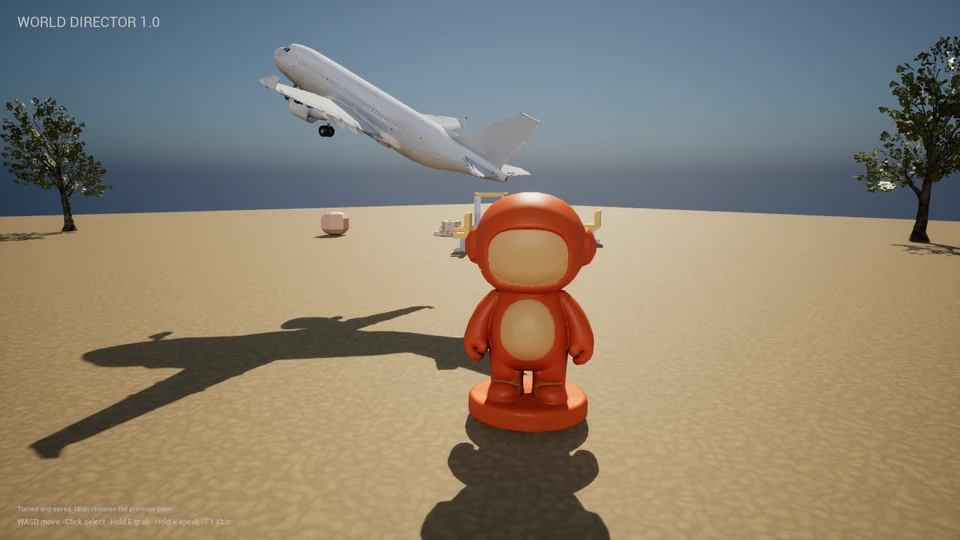
Turn a source image into a model with your local 3D workflow. Keep it, or import a compatible model into World Director.
MUSIC
Give your idea a sound.
Describe the music you want to make. Your local music workflow creates a track you can keep and listen to.
PHOTO ENHANCEMENT
A clearer photo, automatically.
Choose automatic enhancement for attached photos, or use Enhance yourself. Your installed local enhancement tool creates a sharper, larger copy and keeps the original.
VIDEO ENHANCEMENT
Give your video a clearer finish.
Choose automatic enhancement for attached videos, or Enhance a clip yourself. Xbar processes its frames locally, keeps the original and carries the audio into the enhanced copy.
PHOTO EDITING
Change just the part you choose.
Brush or draw around an area, or select the subject or background. Describe your change; Xbar saves a separate copy and preserves the pixels outside your selection.
PAINT & PIXEL ART
Make it by hand.
Draw with brushes, an eraser, colors and undo. Save a PNG or use your drawing in chat. Paint works without an AI model.
Keep the conversation going. You can still talk to Xbar while it generates media in the background.
Stories and code, offline too. Shape a first draft, develop a character, or bring code for Xbar to explain and suggest fixes—all with your installed local chat model.
Install the tools and models for the AI features you select. Performance and available workflows depend on your computer and models. Initial licence confirmation, setup downloads and connected services need internet; configured local chat and creative workflows can then run offline.
Conversation, playback and everyday tools
- Chat and writing. Ask questions, brainstorm, work through code and return to saved conversations. Picture understanding needs a supported vision model.
- Optional web search. Look up a question when you choose. Search uses the current query and needs internet.
- Image viewer. Zoom, pan, save a copy or move into editing.
- Music player. Listen to generated tracks or music you import. Play, seek, loop, mute and adjust volume, with an optional sound-reactive circuit visualizer.
- Video player. Play local clips, seek, loop, mute, adjust volume, expand the view or save a copy.
- 3D model viewer. Rotate, pan and zoom around static GLB models. Choose textured, clay or wireframe views, lighting and background.
- 3D cleanup and export. Inspect a mesh and save a cleaned copy. Export STL or 3MF with a size in millimeters while retaining the original GLB. Check the result in your slicer before printing.
- Creation defaults. Save your preferred music workflow, media lengths and 3D detail. You can also ask for a different setting in a request; supported results depend on the selected workflow.
- Enhancement controls. Automatic enhancement is optional and needs its local tool installed. For longer videos, choose a section to process. Enhancement does not change the frame rate or remove motion flicker.
- Local dictation. Choose to install Whisper and turn speech into text on your computer.
- Pragmatically. Keep inventory, meals and projects in its own app, included with Xbar.
- XbarCade. Choose to install Workmate Run and play in its separate arcade window.
Creative workflows and content controls
In Discord, Standard enables configured creative workflows. Strict keeps conversation and web search available with media generation off. Models, providers, permissions and file-size limits determine what can be produced and delivered.
Configured providers apply their own rules and usage limits. These modes are not age verification. The Discord conversation context resets when Xbar restarts. Keep important project details saved.
See a real image-to-3D workflow
FROM IDEA TO MODEL
“Make a 3D model of a plane.”
No source image supplied. Xbar creates one, then builds the model.
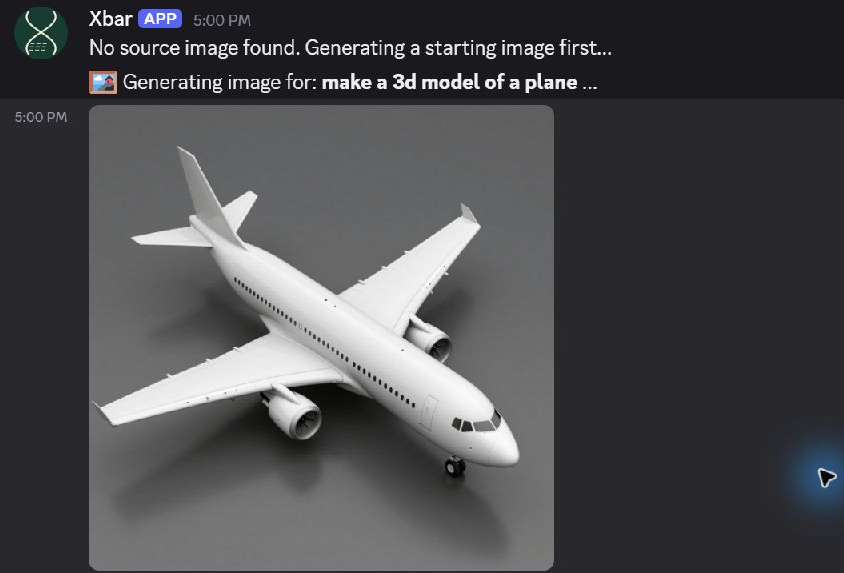
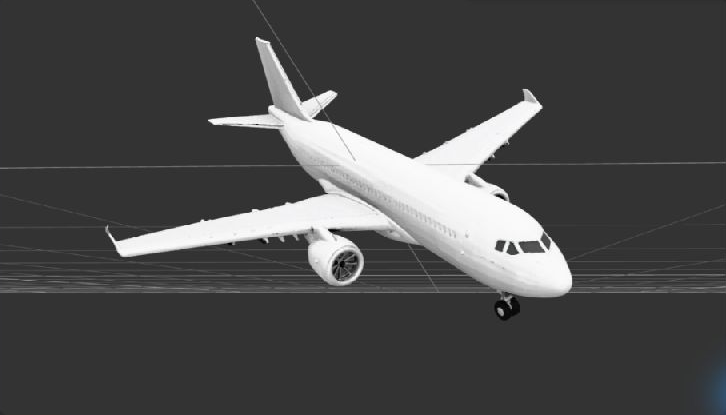

Recorded in Discord: the model was saved locally and ready to share.
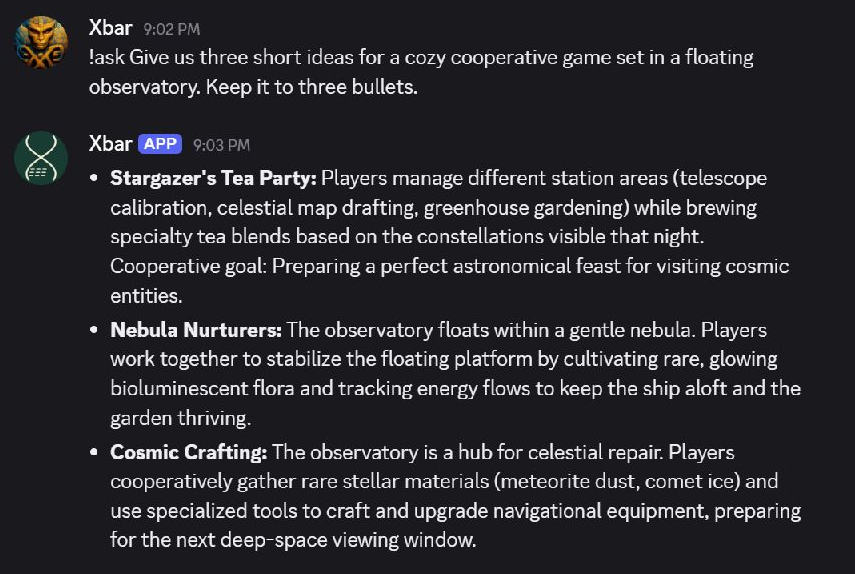
See Xbar brainstorm a game idea
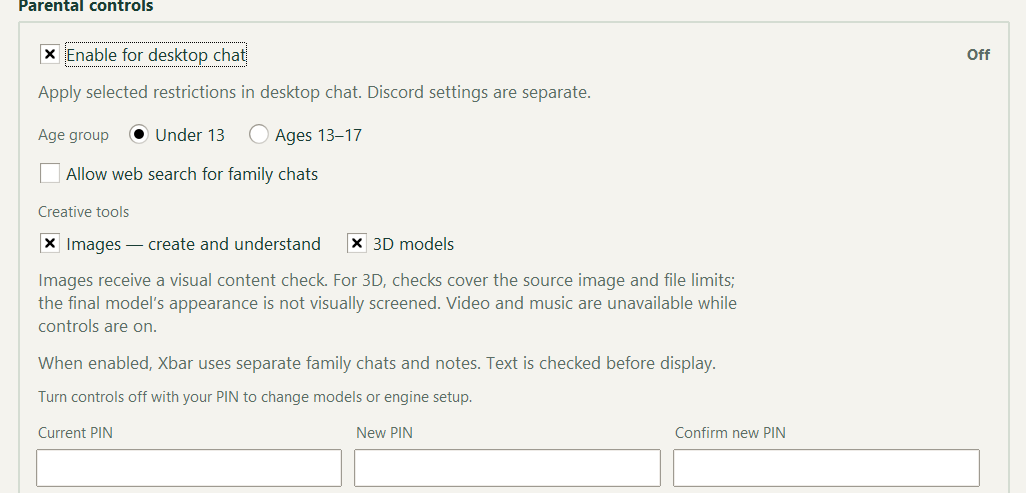
Choose what your family can use.
Choose Under 13 or Ages 13–17, then set permissions for web search, images and 3D tools. A parent PIN protects changes.
Video and music are unavailable while controls are on. Content checks support your supervision; they don’t replace it.
How the checks work
Text is checked before display, and images receive visual checks. For 3D, checks cover the source image and file limits; the finished model’s appearance is not visually screened. These desktop controls are separate from Discord settings.
INSIDE XBAR
Take a closer look.
New draft-preview captures of Chat, Create and the photo viewer come first. Earlier interface examples follow to explain other workflows; each is labeled clearly.
Swipe or scroll to explore the examples.
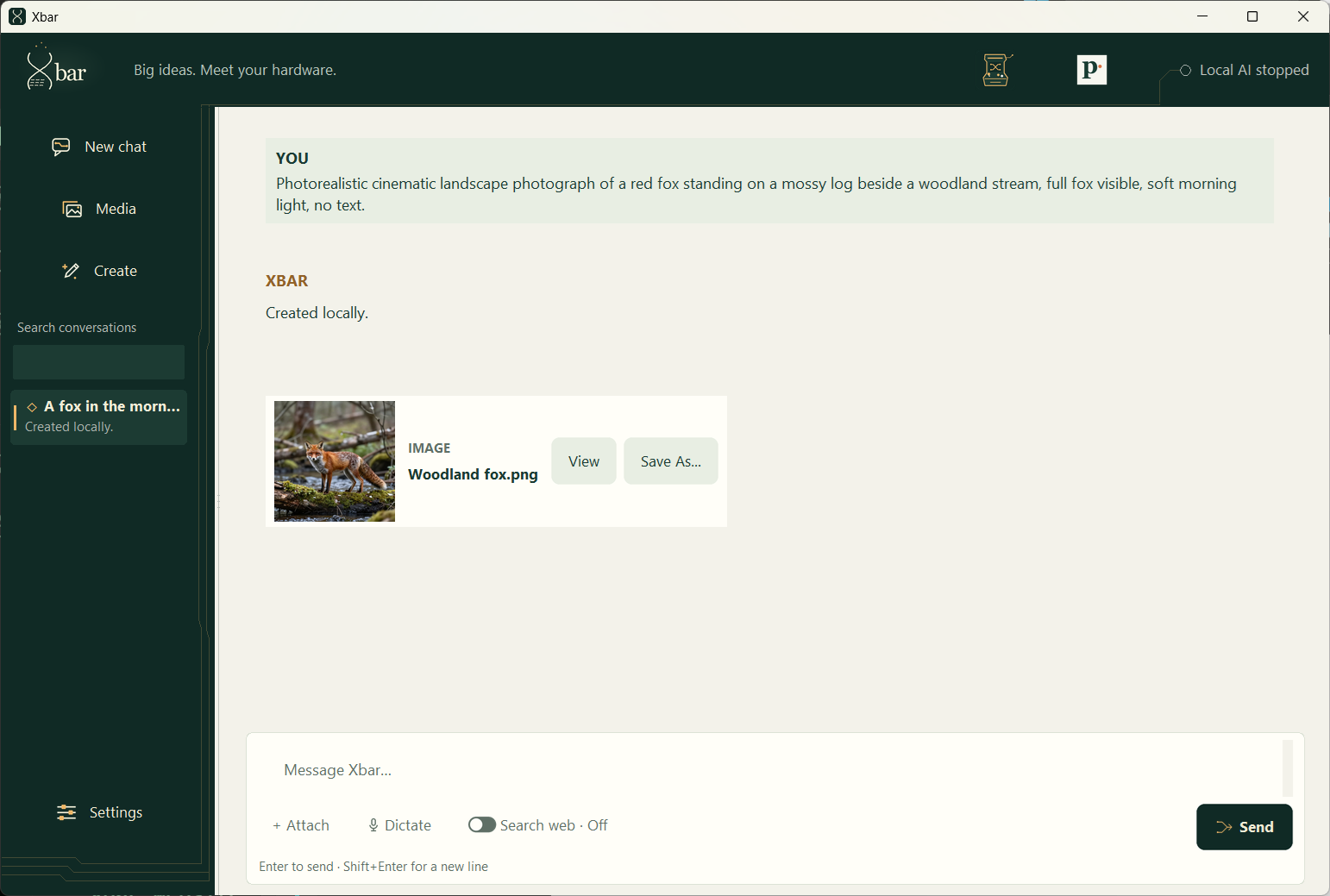
Describe it. Keep the result.
Ask Xbar for an image, then open it or save a copy from the conversation.
Draft source preview with a curated chat using an actual locally generated fox image. This is not a recording of a live reply.
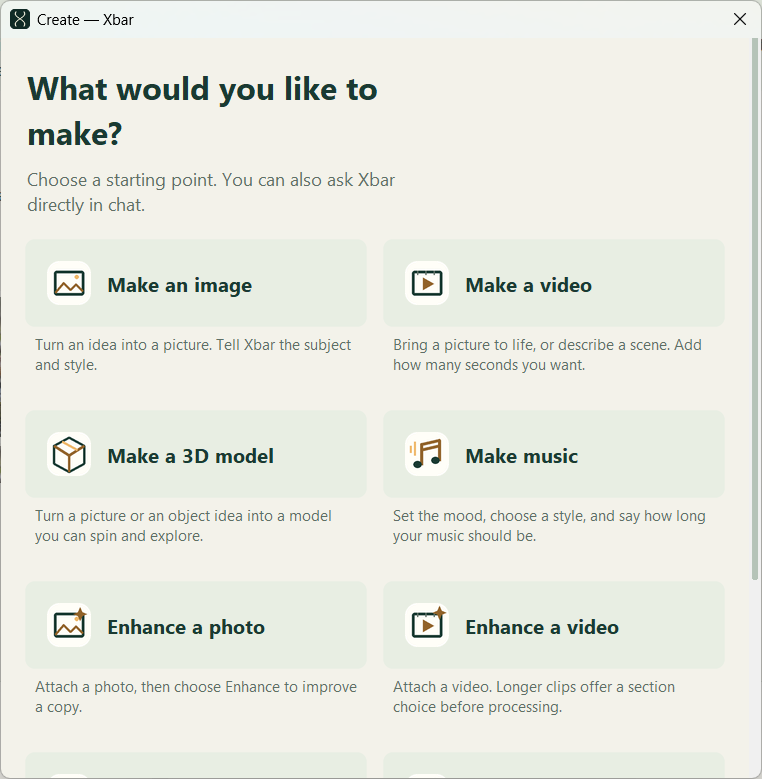
Choose a starting point.
Open Create for image, video, 3D and music generation, plus photo and video enhancement. You can also ask directly in chat.
Draft source preview. AI workflows require their selected local tools and models.
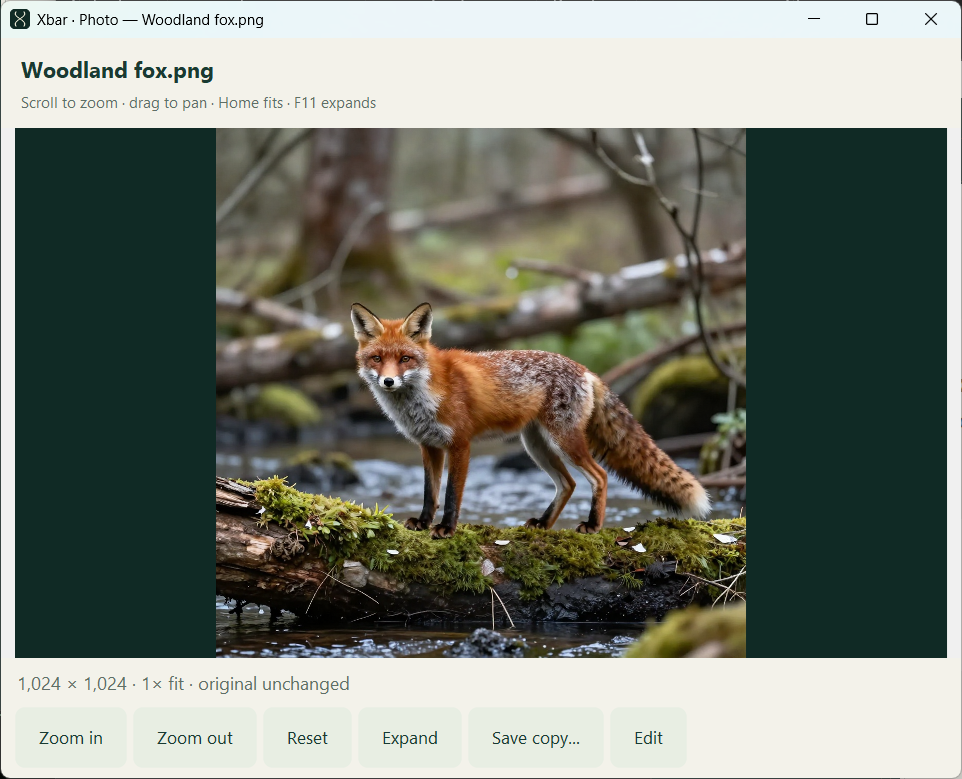
Give your picture room.
Zoom in, pan around, save a copy or move into editing. The viewer keeps the original image unchanged.
Draft source preview showing the actual locally generated woodland fox.
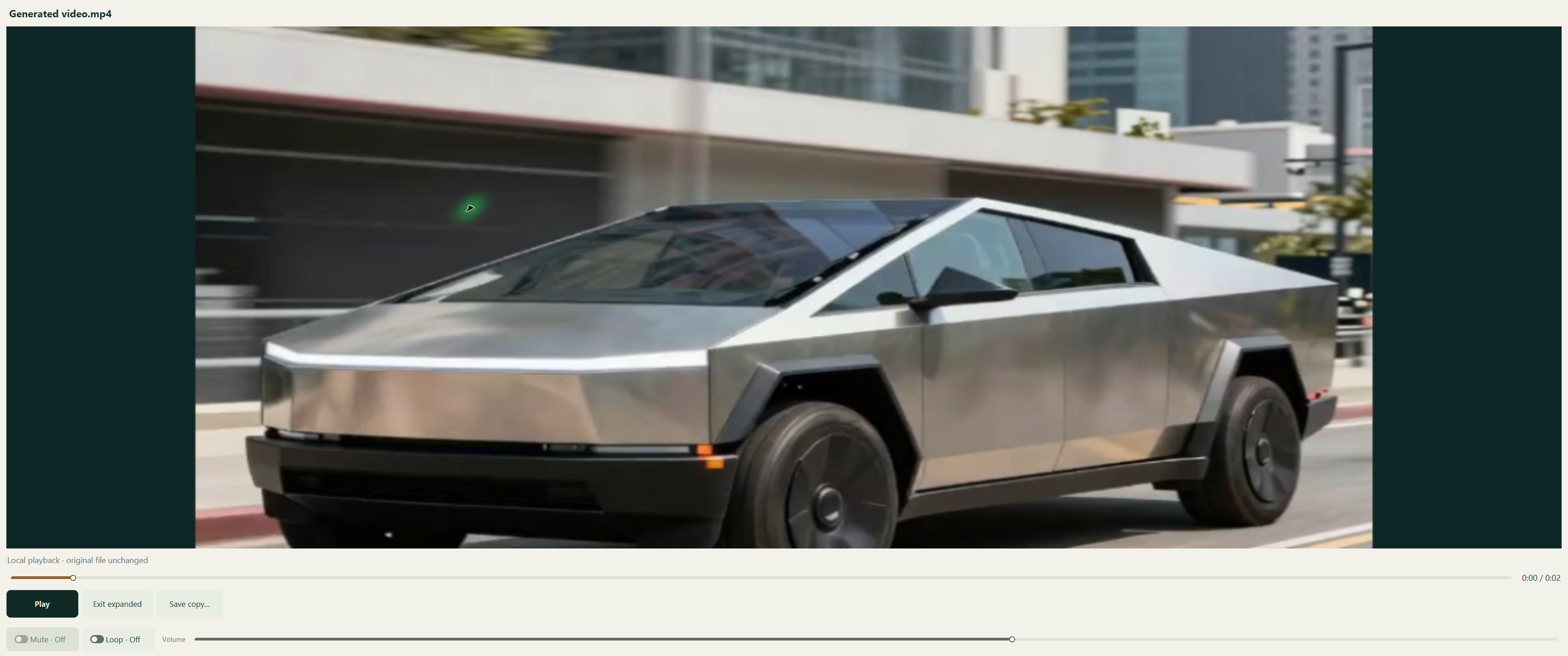
See your video in motion.
Play local video inside Xbar, scrub through it and adjust looping, sound and volume. Save a copy when you want to keep it elsewhere.
Earlier interface. This R19 capture explains the workflow; the current source interface is being refined.
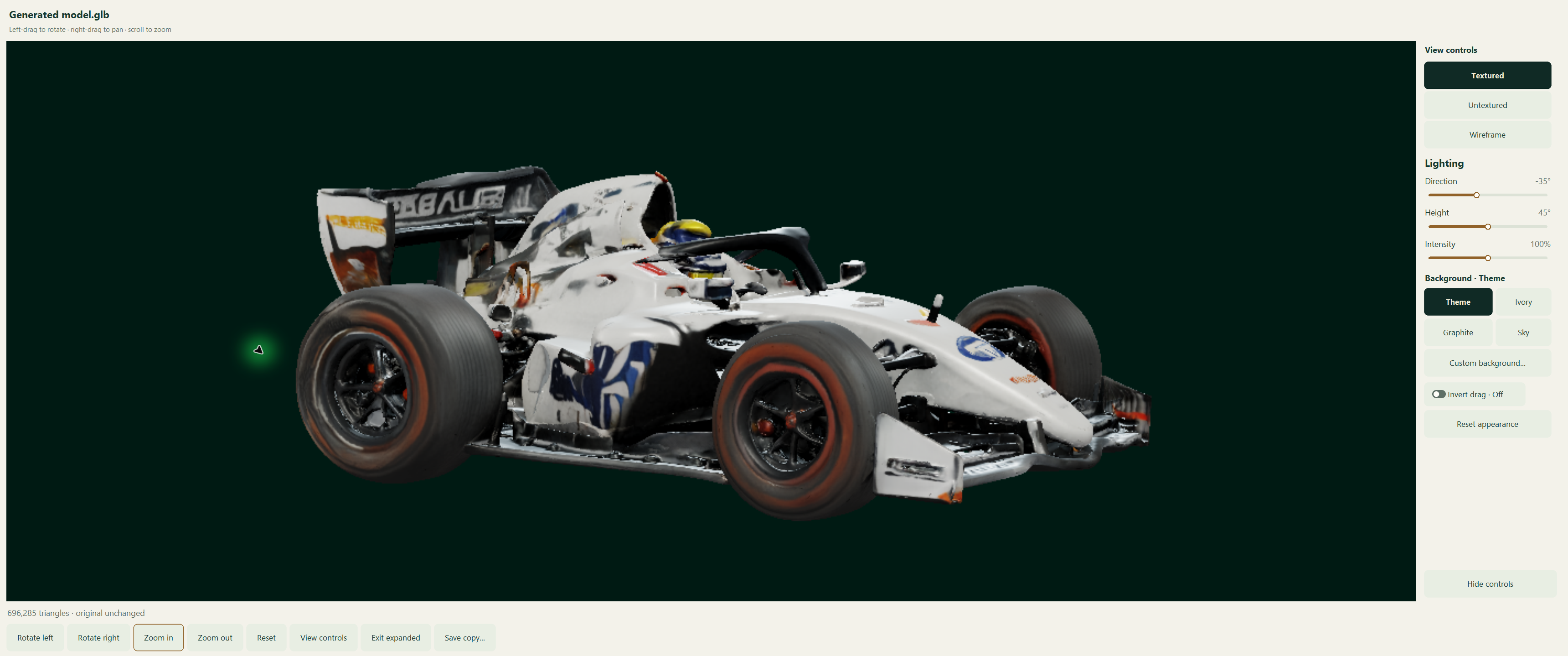
See it from another angle.
Rotate, pan and zoom around a model. Switch between textured, untextured and wireframe views, then adjust the lighting and background.
Earlier interface. This R19 capture explains the workflow; the current source interface is being refined.
Earlier interface. This screenshot shows an older Xbar interface to explain the workflow.
SAY HELLOA simple hello.
Ask for help, explore an idea, or just have a conversation.
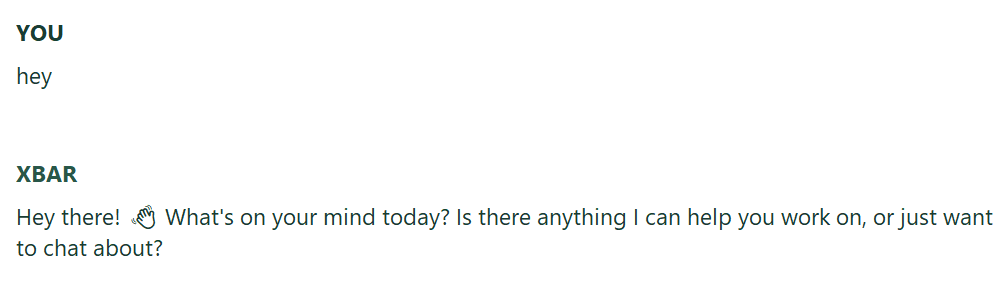
Earlier interface. This screenshot shows an older Xbar interface to explain the workflow.
JUST HAVE A CHATRoom for everyday conversation.
A quick exchange about having a good day. Xbar makes room for everyday conversation alongside the creative tools.
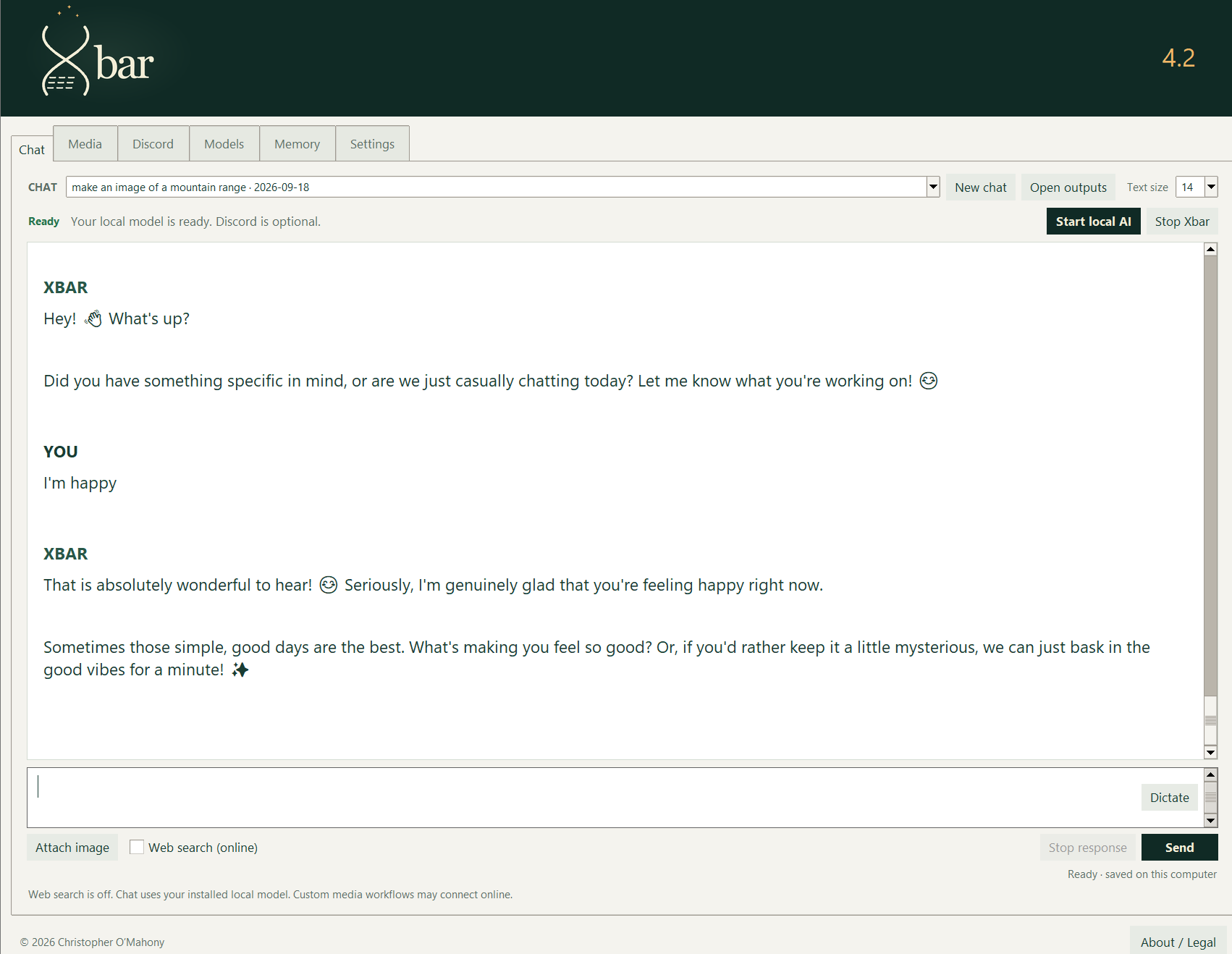
Earlier interface. This screenshot shows an older Xbar interface to explain the workflow.
EXPLORE AN IDEAGive a story somewhere to start.
Start with a story idea. Xbar asks about genre and characters to help you shape it.
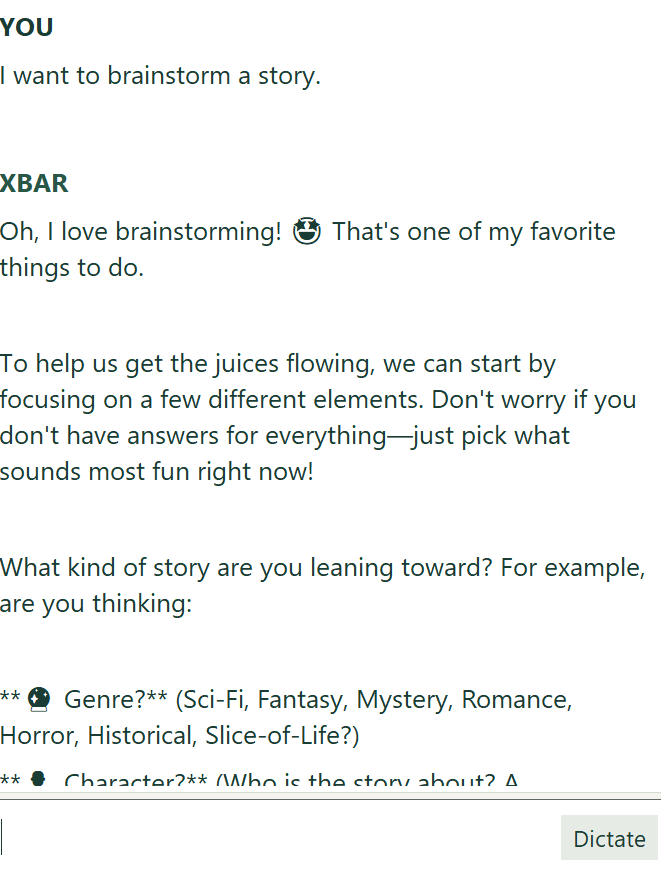
Earlier interface. This screenshot shows an older Xbar interface to explain the workflow.
FROM A PROMPT TO A STORYA robot, a rose, a little imagination.
Ask for a playful story and read the result in the chat. Here, a simple prompt becomes a tale about a robot discovering a rose.
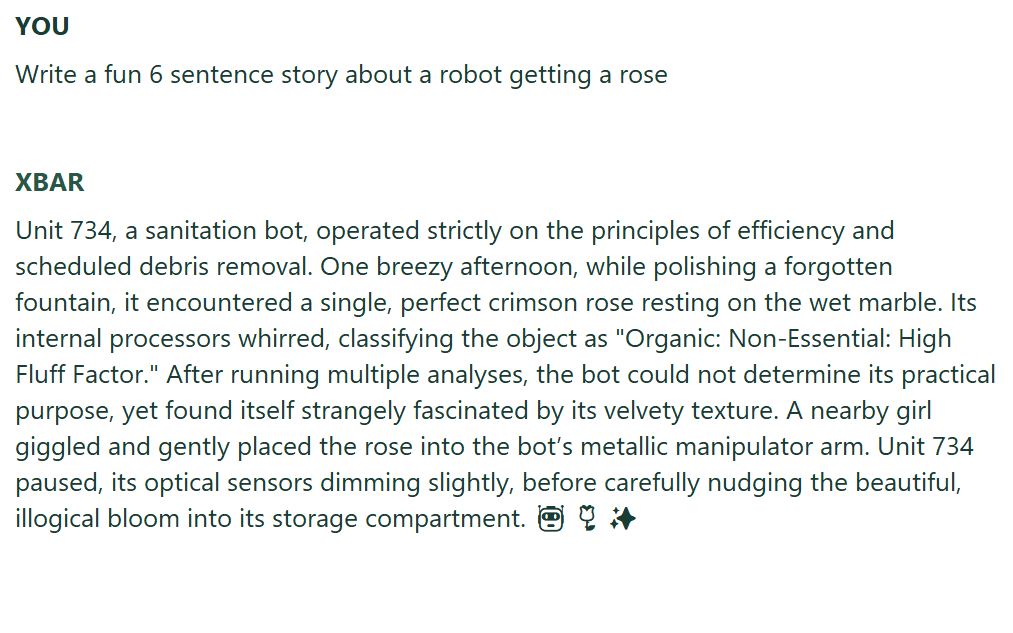
Earlier interface. This screenshot shows an older Xbar interface to explain the workflow.
WHILE XBAR WORKSSee when Xbar is thinking.
Follow the response status in the chat, with web search and local-model information close by.

Earlier interface. This screenshot shows an older Xbar interface to explain the workflow.
CREATE AN IMAGEDescribe it. Create it.
Ask for a mountain range, then open or save the image right from the conversation.
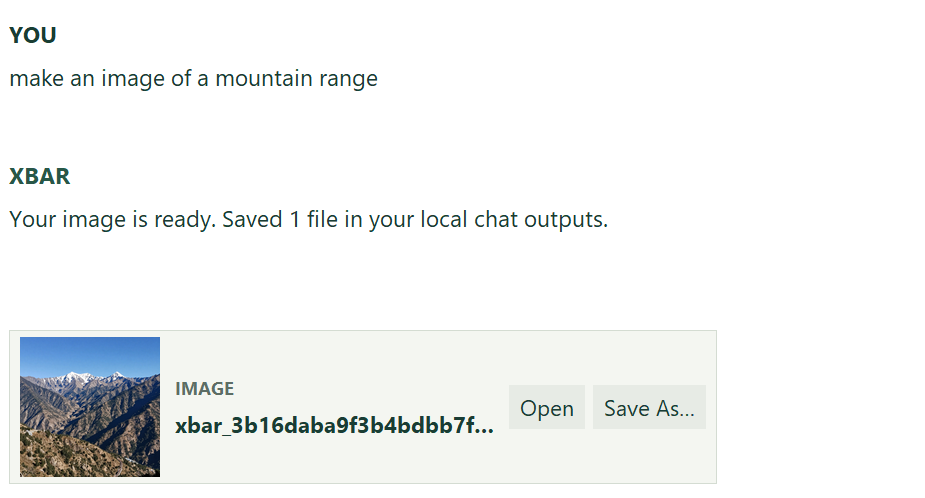
Earlier interface. This screenshot shows an older Xbar interface to explain the workflow.
YOUR MEDIA LIBRARYYour creations.
Ready to return to.
Browse your generated files in the Media library. Open a creation, save a copy, or jump back to the conversation that made it.
Media library shown with example content.
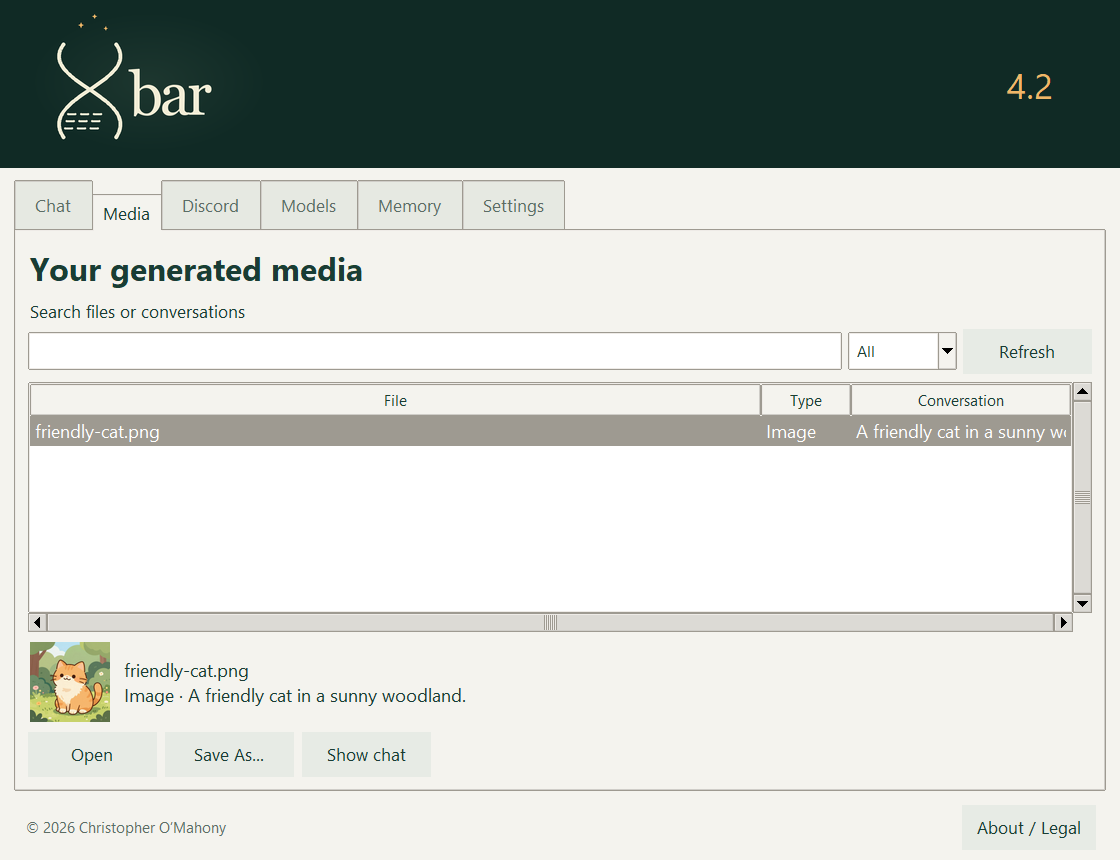
Earlier interface. This screenshot shows an older Xbar interface to explain the workflow.
LOCAL MEMORYMemory you can shape.
Save useful notes for future chats, and choose whether Xbar draws on relevant saved conversations.
For desktop chat. Turning recall off or clearing notes does not delete saved chats.
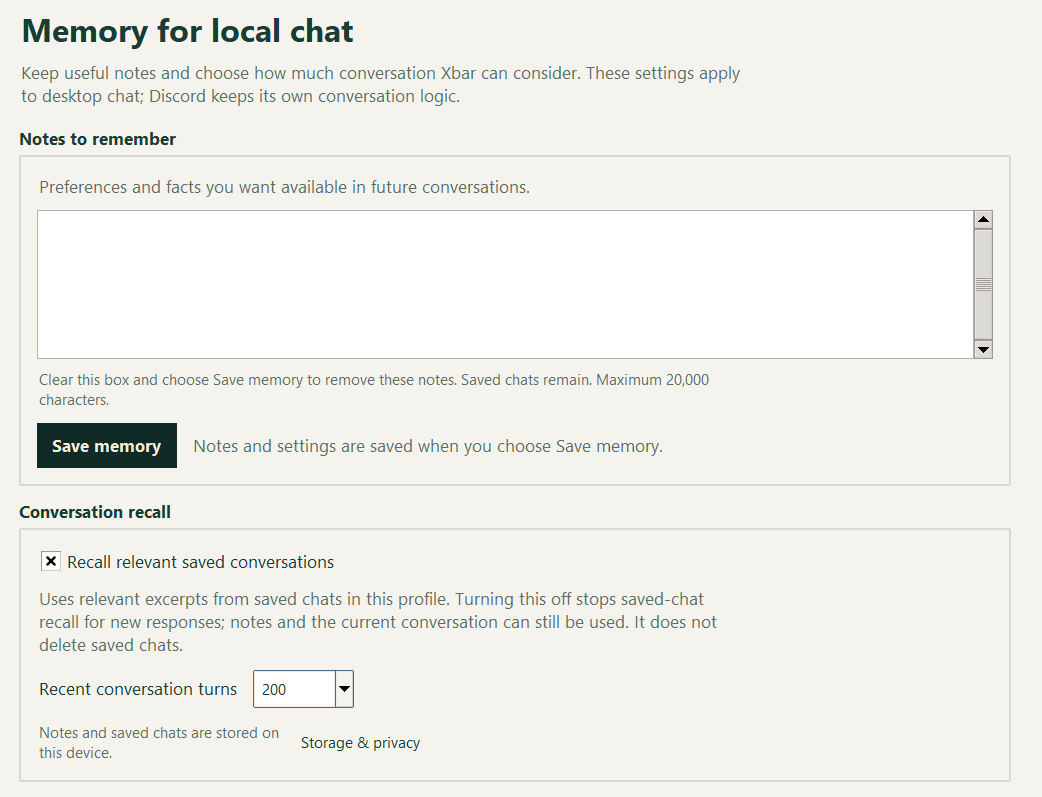
Earlier interface. This screenshot shows an older Xbar interface to explain the workflow.
YOUR SETTINGSChoose your model limits.
Choose how much text Xbar can consider and how long its replies can be, within your model’s limits.
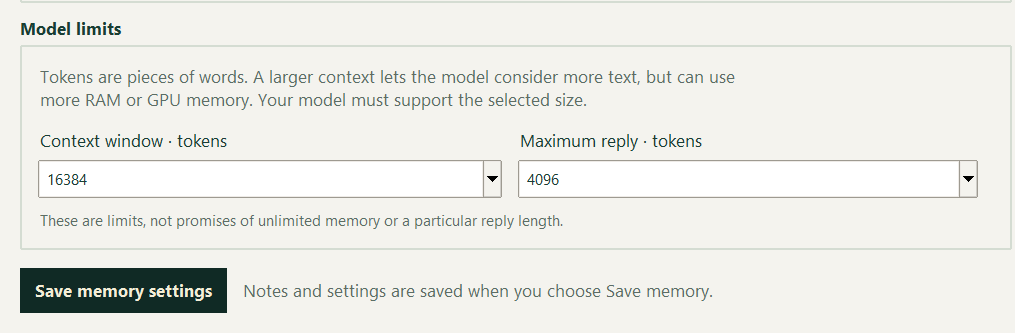
Earlier interface. This screenshot shows an older Xbar interface to explain the workflow.
WORK THROUGH CODEFind the error.
Work through a fix.
Xbar explains why average([]) divides by zero and suggests a check for an empty list.
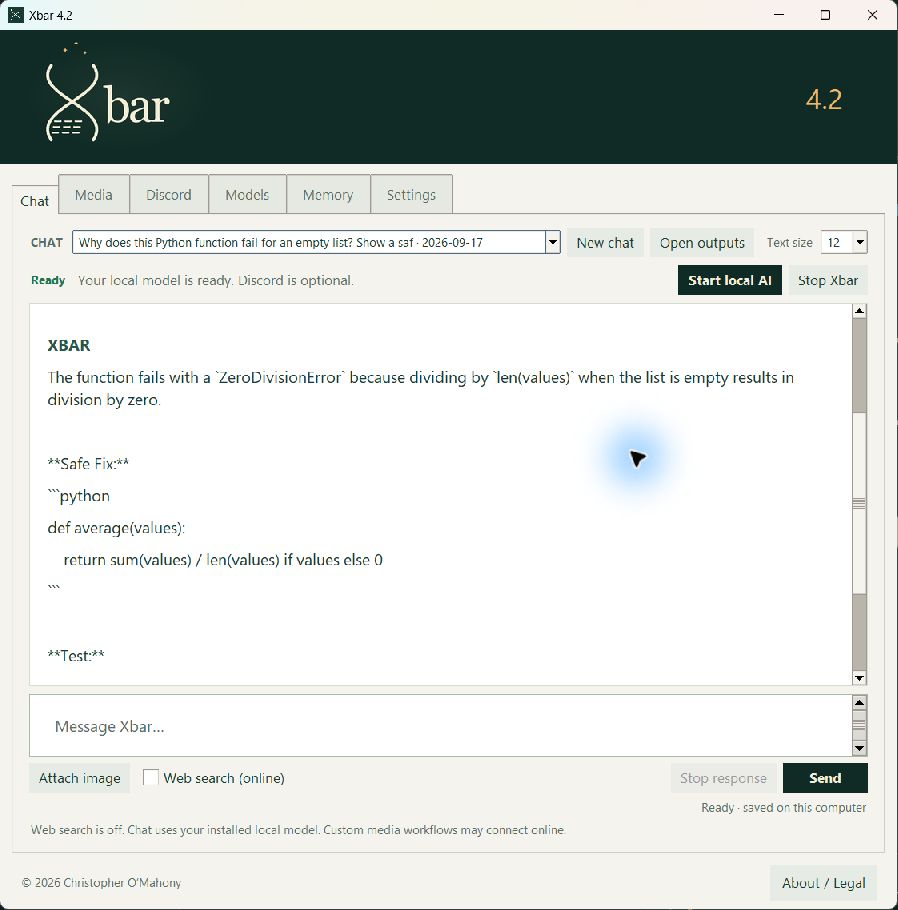
Earlier interface. This screenshot shows an older Xbar interface to explain the workflow.
READ A PICTURERead a recipe picture.
A picture of an oat-pancake recipe becomes a readable title, four ingredient quantities and cooking steps.
Picture understanding needs a supported vision model.
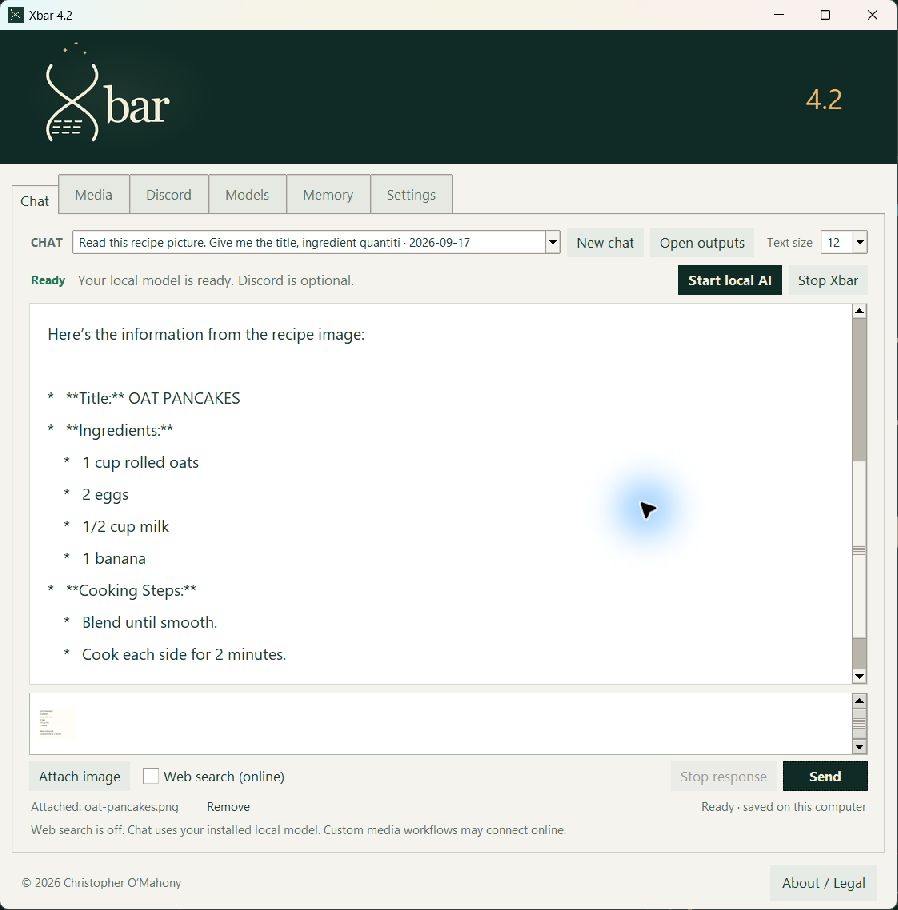
Earlier interface. This screenshot shows an older Xbar interface to explain the workflow.
CREATE IN THE CHATFrom a prompt to a picture.
Ask for a cyber city and see the finished image in the chat, ready to open or save.
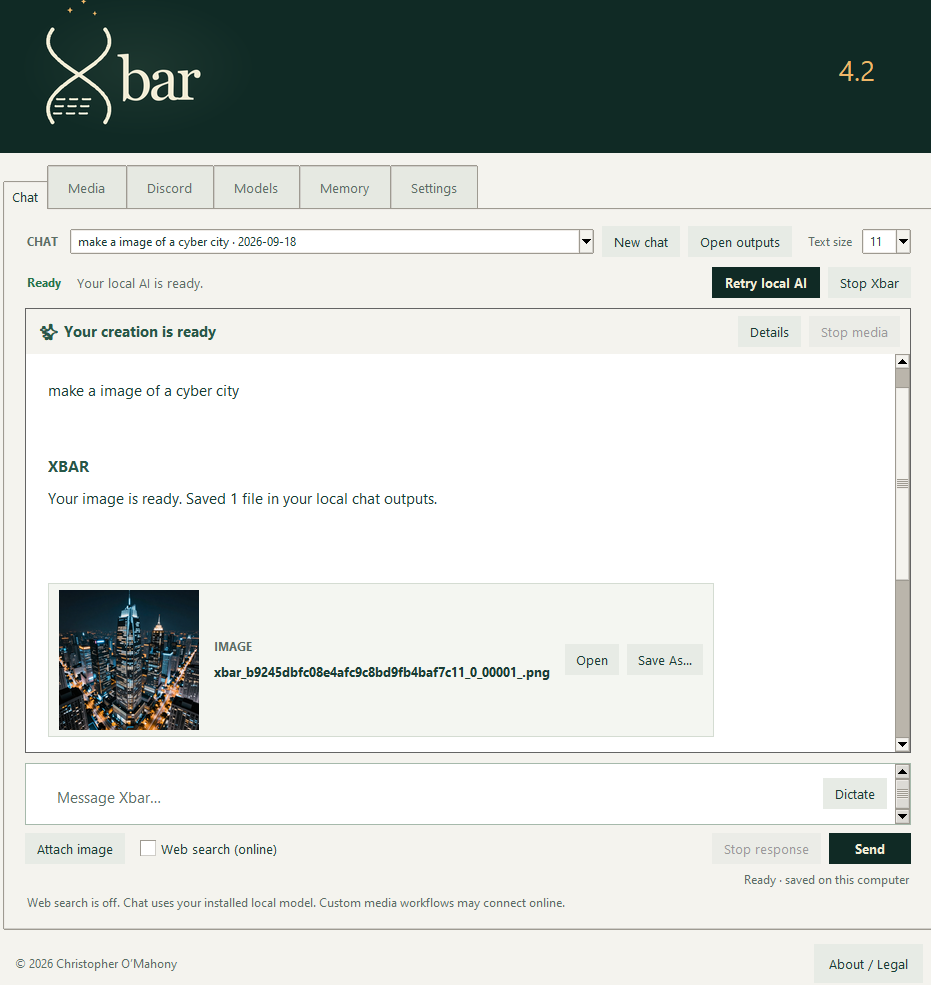
Earlier interface. This screenshot shows an older Xbar interface to explain the workflow.
KEEP THE CONVERSATION GOINGKeep chatting while Xbar creates.
You can keep talking to Xbar while media generates in the background. Here, the finished dragon image and story brainstorming share one conversation.
Read the keep-chatting notice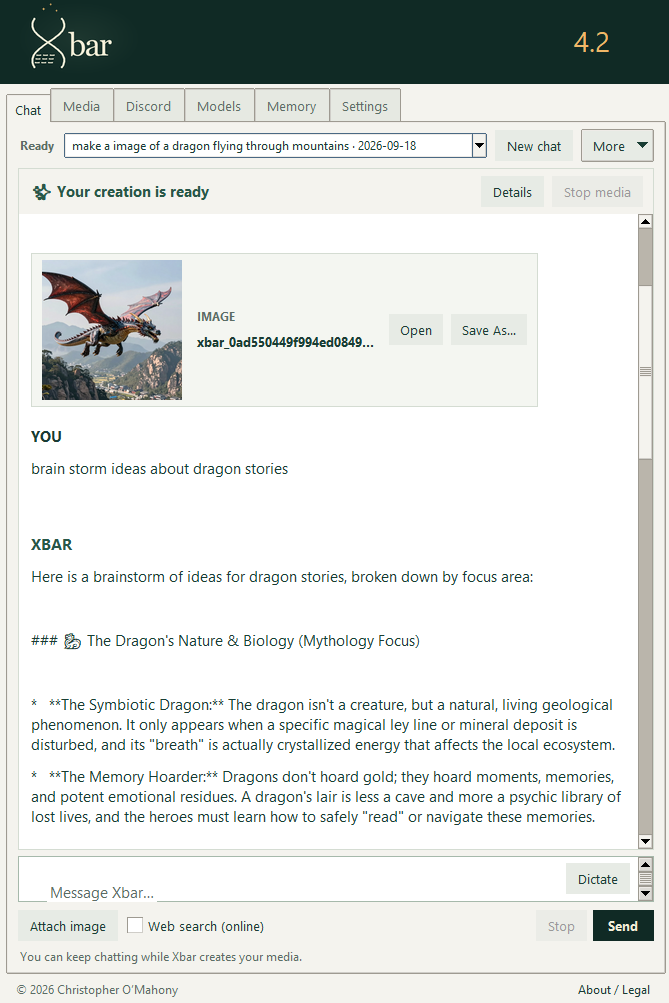
Earlier interface. This screenshot shows an older Xbar interface to explain the workflow.
FROM AN IDEA TO A SCENETake the idea further.
Ask Xbar to carry the idea into a scene: a dragon flying past a village.
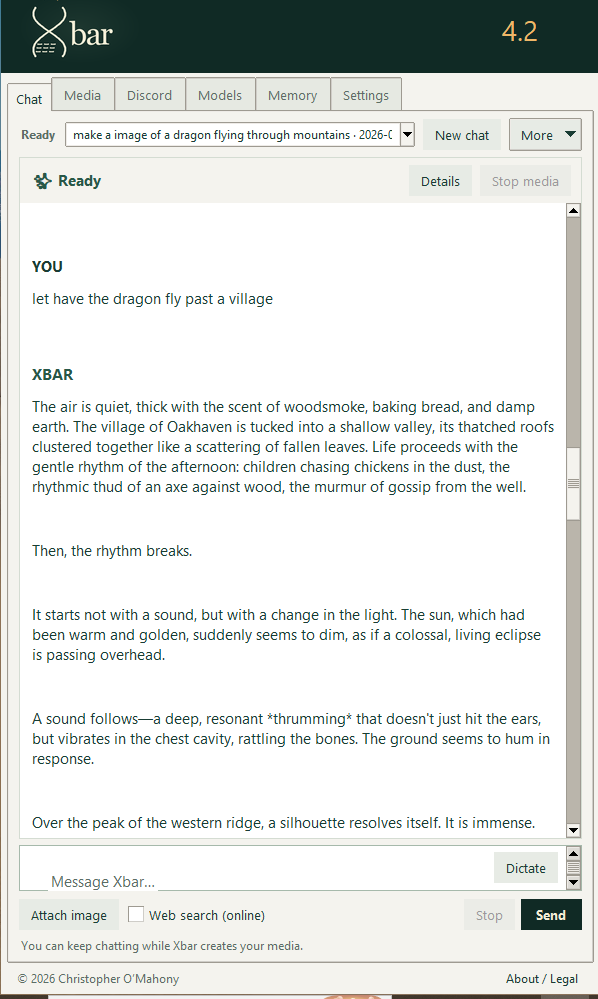
Earlier interface. This screenshot shows an older Xbar interface to explain the workflow.
KEEP SHAPING THE STORYShape what happens next.
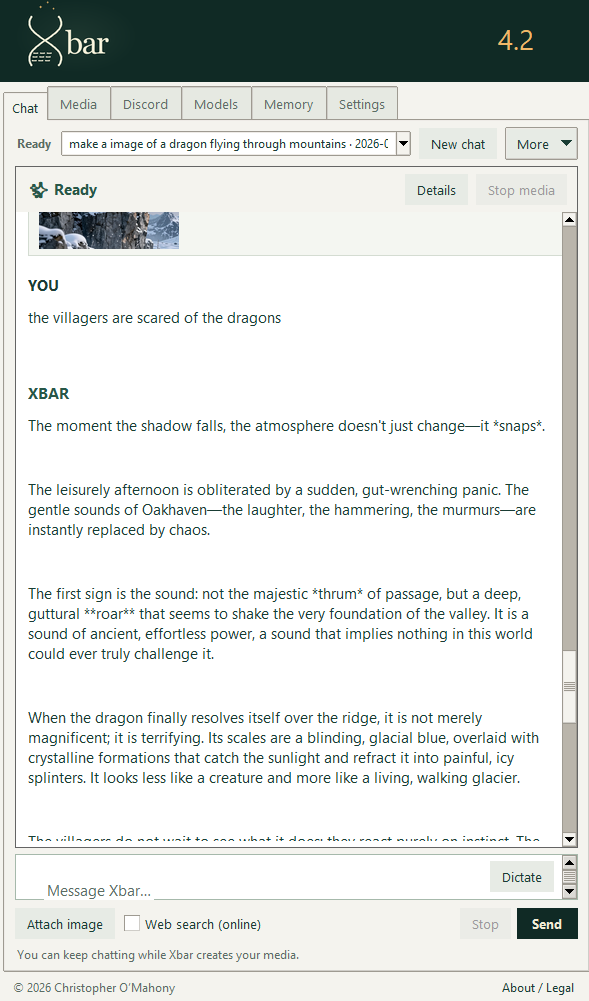
Add a new detail—the villagers are scared—and continue developing the story in the same chat.
Responses and speed vary with your selected models and hardware. Review answers and test suggested code before using it.